



Using 100 Flashlights...
Mr Beast | 10M views | 1 day ago
Lavender ( ESPE ) Epilepsy Seizure Protection Extension
Lavender scans autoplay video, looping animations, and other fast-changing visuals for patterns that may trigger photosensitive epilepsy, then warns, blurs, pauses, or blocks them before they fully hit the viewer.
Protected page preview

The Problem
People with epilepsy can be very sensitive to flashing animations online
Fast-moving visuals with high contrast, like strobe effects or rapidly flashing content, can trigger seizures in people with photosensitive epilepsy. These kinds of media are common online and often autoplay without warning, putting vulnerable viewers at risk of sudden exposure.

This part of the video made my vision go all weird and I had to look away for a bit. I have photosensitive epilepsy and it’s really scary when stuff like this pops up without warning.
the scene with the flashing lights triggered a seizure for me. I have photosensitive epilepsy and it’s really important for content creators to be aware of how certain visuals can affect people like me.
Our Solution
Lavender compares what appears without intervention to the censored state the extension creates once risky flashing media is detected.

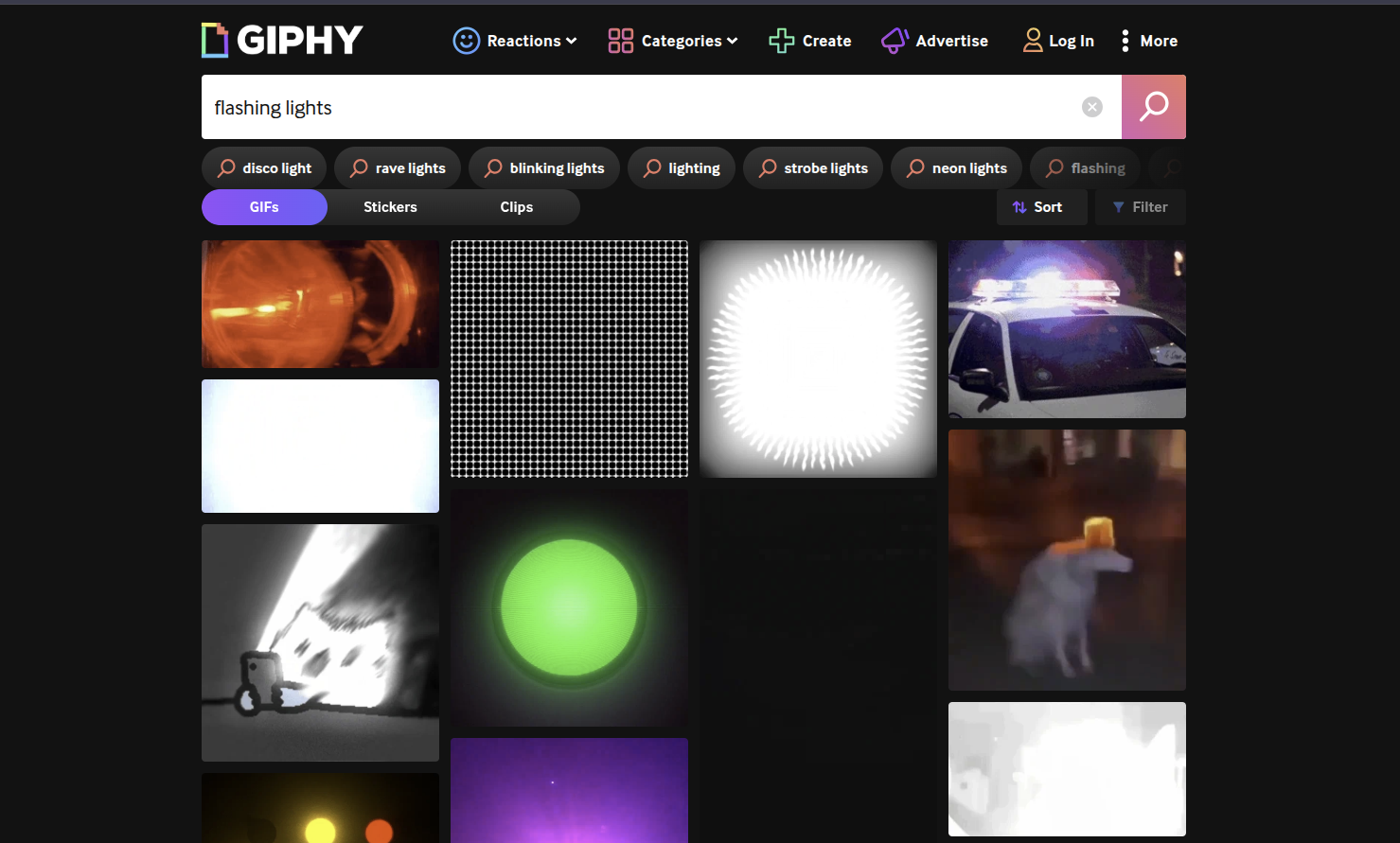
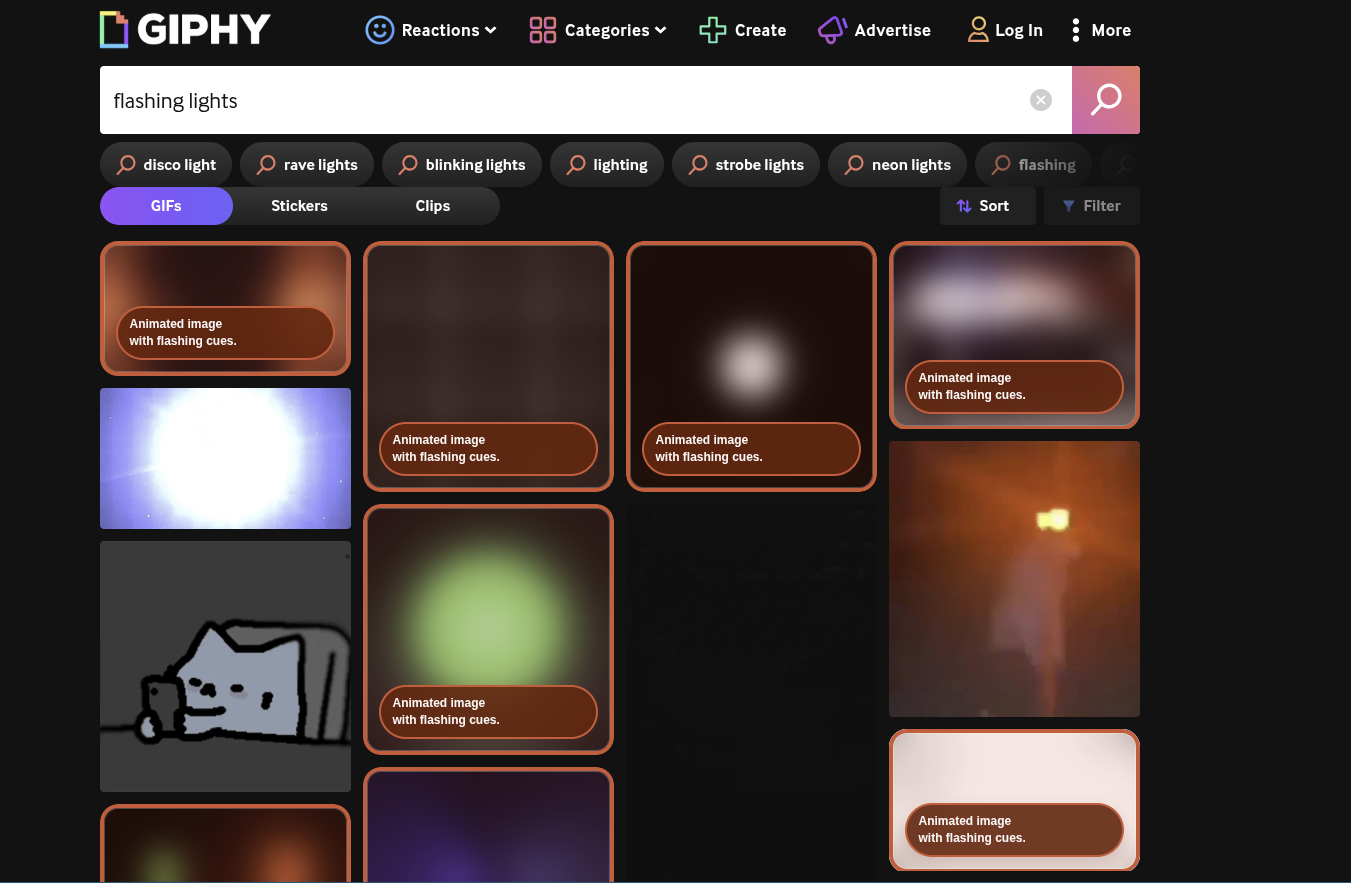

How It Works
How the extension detects and blurs risky GIFs.
This flowchart follows the extension from page load to the blur overlay, using the key detection and styling hooks in the current codebase.
01
Page load
It loads on every page
Chrome reads manifest.json and injects
content.js plus content.css into
visited sites. That means the extension is present and
ready to inspect the page as soon as it finishes loading.
02
Scanning
It scans the page for risky content
The extension looks for img,
video, iframe, and elements with
names such as "flash," "blink," or "strobe." It also keeps
watching the page with a mutation observer, so newly
inserted content is scanned too.
03
GIF detection
It checks whether the GIF is likely animated
When it finds an image, it tests whether the file is likely
animated. It looks for URLs ending in .gif,
.apng, or .webp, and it also
catches Giphy-style GIF links. Then it inspects nearby
text, class names, alt text, IDs, and headings for warning
cues like "flash," "rapid," or "blink."
04
Decision
It decides whether intervention is necessary
If the image or animation includes warning cues, the detection flow gives it a reason such as "Animated image with flashing cues." If the nearby language suggests something safe, like "calm," "slow," or "static," the extension avoids covering it.
05
Blur overlay
It wraps the element and applies the blur filter
Once something is flagged, the extension wraps the element
and places an overlay on top. The blur effect uses
backdrop-filter: blur(...) plus a red border,
and the short reason label explains why the media was
blurred.
Credits
Team Puddin/Head
Built for the Workday x CS++ Hackathon.




Akshat Pasbola
Robery Sabau Mance
Zartashia Saleem
Mercy Olasahende
Comment feed
What epileptic people felt...
The comments below are an example of social media users with epilepsy, describing their reactions to unexpected flashing content online.